
Everything you need to know about getting the blue check — with or without paying for it
You’ve seen it. You want it.
And maybe you’ve even wondered: “Do I actually need it? Or is it just another flex?”
The truth? It’s more than just digital bragging rights. Instagram verification builds instant credibility. It tells your audience — and the algorithm — that you’re someone worth paying attention to.
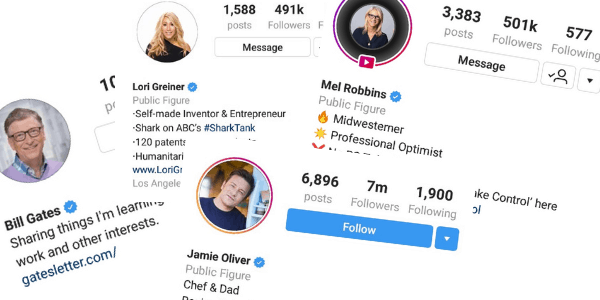
Whether you’re a creator, entrepreneur, business owner, or public figure, learning how to get verified on Instagram can help protect your brand, grow your audience, and boost your authority.
And here’s the good news: you don’t need to be famous or have millions of followers anymore.
In 2025, there are now two real ways to get the blue check on Instagram — one is paid, one is free.
This post walks you through both.
Table of Contents
What Does Instagram Verification Actually Mean?
When you see the blue badge next to someone’s name, it means Instagram has confirmed that the account is authentic and represents a real person, brand, or business.
But in 2025, there are now two ways to get verified on Instagram:
- Meta Verified – A paid subscription available to anyone who meets eligibility requirements
- Traditional Verification – A free application process for public figures, creators, and businesses who can prove they’re notable
Both options give you the same blue checkmark, but the path you choose depends on your goals, budget, and public presence.
Why Getting Verified on Instagram Matters in 2025
Whether you’re a digital creator or business owner, Instagram verification gives you more than just status. It unlocks real advantages:
✅ Instant Credibility – The blue badge signals trust. It tells new visitors you’re legit — not a scam account or a copycat.
🔍 Better Visibility in Search – Verified accounts show up higher in Instagram search results, giving you more exposure — especially when people search for your name, brand, or niche keywords.
🔒 Account Protection – Verification helps protect you from impersonators. If someone tries to clone your name or content, it’s easier to get them removed.
💬 Direct Support (Meta Verified only) – Meta Verified users get access to human support, extra security monitoring, and exclusive features like stickers and more.
📈 Potential Engagement Boost – While it’s not officially confirmed, many believe verified accounts get higher engagement and algorithm priority, especially for Reels and Stories.
How to Get Verified on Instagram with Meta Verified (Paid Option)
If you’re not a public figure or don’t have media coverage, Meta Verified is the fastest route to verification — and it’s open to almost everyone.
Requirements to get verified via Meta Verified:

How to apply for Instagram verification with Meta Verified:
- Go to your Instagram profile
- Tap the menu (top-right corner) → Meta Verified
- Follow the prompts to choose your account
- Submit your photo ID and pay the monthly fee
How much does Instagram verification cost?
Meta Verified Standard plan currently costs $14.99/month (may vary by country). You can cancel anytime, but the badge and features disappear if you stop paying.

How long does Instagram verification take?
If you’re using Meta Verified, your badge should appear within 24–48 hours after approval.
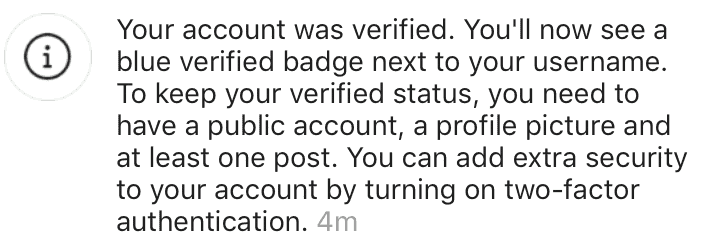
How to Get Verified on Instagram for Free (Public Figure Route)
If you want to get verified on Instagram without paying, there’s still a traditional route — but it’s more selective.
You’ll need to prove that your account represents a notable figure or brand and is recognized outside of Instagram.
Step 1: Optimize your profile
Your profile should be:
- Public
- Active and complete
- Using your real name or brand name
- Following all Instagram rules and guidelines
This tells Instagram you’re legit and serious.
Step 2: Prove you’re notable
To get verified for free, Instagram looks for evidence that:
- You’re mentioned in multiple news sources (not paid press or ads)
- People are searching for your name or brand
- You have a digital presence beyond Instagram (e.g. website, YouTube, press coverage)
Instagram recently expanded its sources to include more international and diverse publications, so don’t count yourself out if you’re outside the U.S.
Step 3: Submit your verification request
Here’s how to apply for Instagram verification the traditional way:
- Go to Settings > Account > Request Verification
- Enter your name, category (e.g. entrepreneur, public figure)
- Upload a photo ID and add links to press coverage or online features
Instagram will usually notify you within 30 days.
3 Proven Tips to Improve Your Chances of Getting Verified
If you’re serious about earning your badge, these strategies can give you a big boost — especially for the traditional route.
1. Grow your following — the right way
You don’t need 100K followers to get verified, but Instagram still favors accounts that are active, engaged, and steadily growing. Focus on valuable content, not vanity metrics.
2. Get featured in credible media
Pitch yourself to blogs, podcasts, niche publications — anyone who might cover your story. Aim for at least 3 articles from real news or industry sources.
3. Apply at the right time
Just went viral? Landed media coverage? Hit a big milestone? That’s the moment to apply. Instagram is more likely to notice when you’re already getting attention.
Common Questions About Instagram Verification
“How many followers on Instagram to get verified?”.
There’s no official follower requirement, but having a solid following helps prove your relevance and notability.
Can I get verified on Instagram without being famous?
Yes — especially with Meta Verified. Even without fame or press, you can still qualify by meeting basic requirements.
How long does Instagram verification take?
- Meta Verified: 24 to 48 hours
- Free (public figure) application: Up to 30 days
What happens if I’m denied?
You can reapply after 30 days. Use that time to grow your presence, get featured, or clean up your profile.
Can I lose my verification badge?
Yes. If you break Instagram’s rules, change your name/account info too much, or stop paying for Meta Verified — your badge can be removed.
Final Thoughts
Knowing how to get verified on Instagram in 2025 is less about tricks — and more about strategy.
If you’re ready to invest in your growth and want the credibility that comes with a blue badge, go the Meta Verified route.
If you’re already building public recognition or media coverage, the traditional path may be worth the wait.
Either way, here’s the truth:
The blue check doesn’t make you important. But if you’re building something real, it can open a lot of doors.
So, polish up your profile. Pick your path. And go after it.